
Move-In & Orientation
Fall Winter 2026/2027 information 2026/2027 Academic year
Move-in weekend, orientation and what to expect during your first few days in residence.
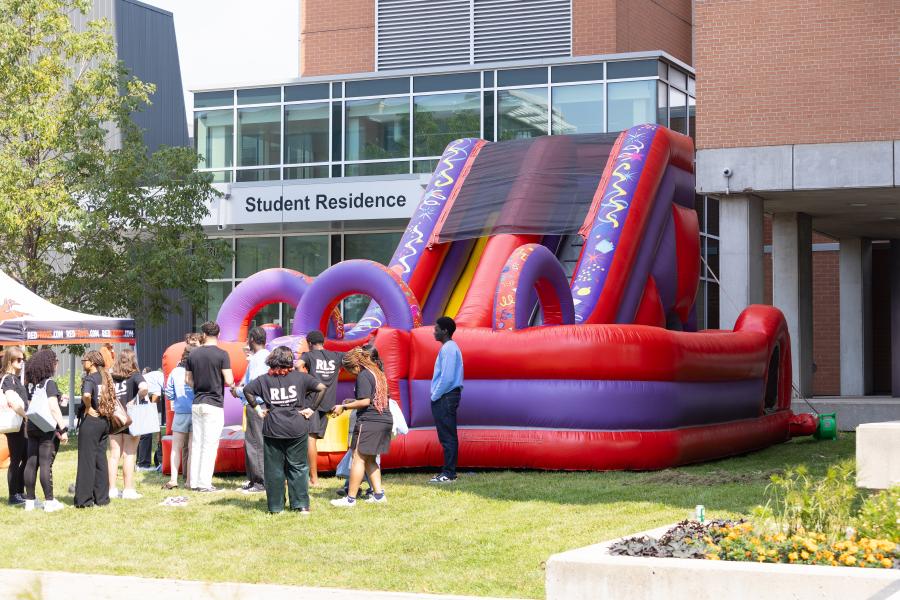

What's next Winter Term Move-in
The 2027 Winter term brings new beginnings and we are looking forward to meeting you!
Whether you are joining us for the first time or returning to a place that feels like home, we are happy to have you with us. If you have not applied for your Winter term room yet, now is a perfect time.
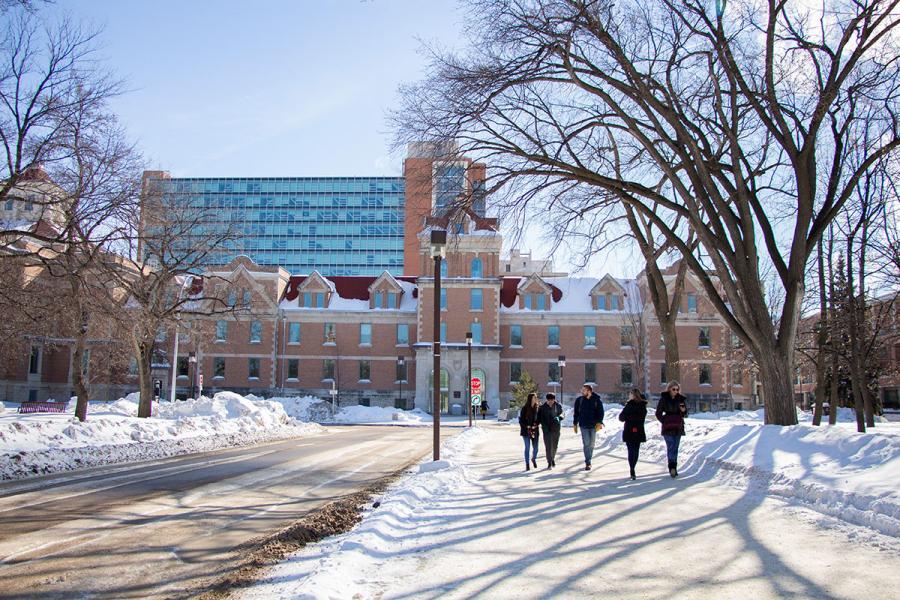
-
Residence Application
Rooms are still available for the January–April (2027 Winter Term).
Register and apply today - Here -
Winter term move in
Everything you need to know before moving in on campus, including check-in locations, dates and times, accommodation options, and essential tips for a smooth arrival.
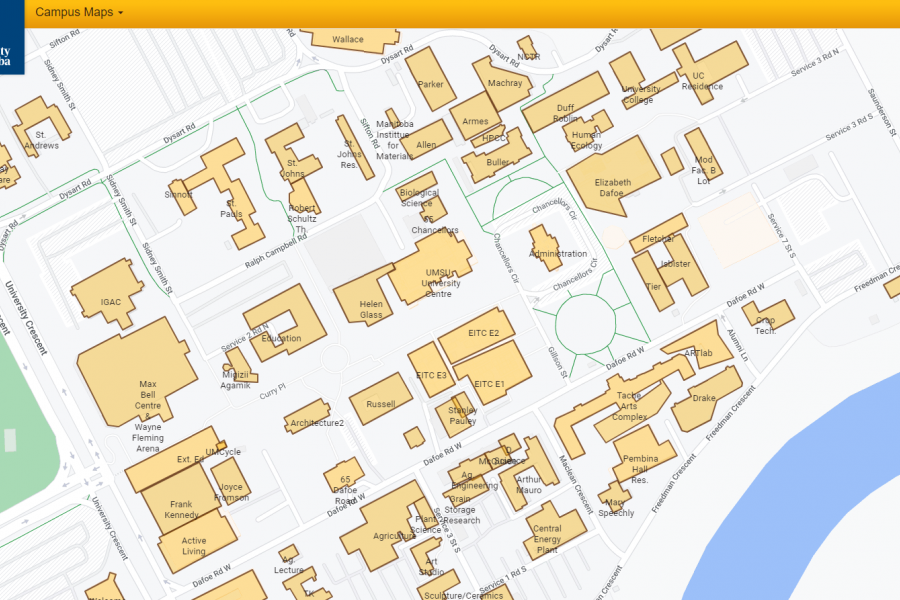
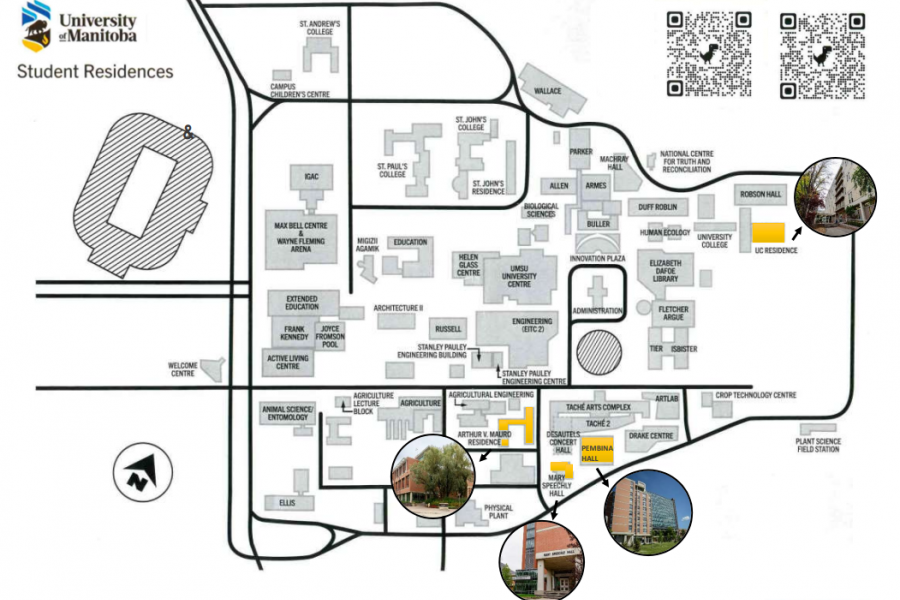
Residence Maps
ID Cards & Peggo Cards
Your UM ID card is required to access your Residence Meal Plan. We strongly suggest getting your ID card as soon as possible.
Registrars Office ID Centre
Location: 400 UMSU, University Centre
Hours: 9:00am - 4:00pm , Monday to Friday
To produce your ID Card, they require the following documents:
- Copy of your Government-issued Photo ID
- Study Permit (International students only)
Location #2: Pop-up Photo ID 102B UMSU, University Centre
Starting August 31 to September 11
Hours: 9:00am - 4:00pm , Monday to Friday
To produce your ID Card, they require the following documents:
- Copy of your Government-issued Photo ID
- Study Permit (International students only)
Special Residence Move - In Service
To make move-in easier, the ID Centre will be conveniently located on the first floor of UMSU University Centre (Room 102B) on Saturday, September 5, from 10:00 a.m. to 2:00 p.m.
Students can have their ID card processed during this special one-day service
Add the Residence Portal to your phone
Follow these simple steps to add your Residence Portal to your cell phone, whether it's an iPhone or an Android. This will be the easiest way to access everything you need to know about the Student Residence.
For iPhone (Safari)
- Open the Residence Portal on Safari on your iPhone.
- Tap the Share button (square with an arrow pointing up) at the bottom of the screen.
- In the share sheet, scroll down and tap Add to Home Screen.
- Edit the name that will appear under the icon (optional).
- Tap Add in the top-right corner.
- The site will appear on your Home Screen as an icon; tap it to open full-screen like an app.
For Android (Chrome)
- Open the Residence Portal on Chrome on your Android phone.
- Tap the three-dot menu (top-right).
- Look for Add to Home screen (or it may say Install app if the site is a PWA).
- Tap Add to Home screen. You can edit the name if you want.
- Tap Add (or follow the prompt to place the icon on your home screen).
- You’ll see the new icon on your Home Screen — tap it to launch the site in a separate window.
How to...
Complete your waiver to activate your UM Rec student access
All UM Students have access to the sport and recreation facilities at the University of Manitoba. Access will begin September 1 for those that have completed the Aurora Waiver. It will take approximately 5 business days to set up. Students will receive a confirmation email once their student card is granted access to the recreation facilities.
To complete the waiver online, UM students should:
1. Log in to New Aurora
2. Go to ‘View all cards”
3. Search for Recreation Services
4. On the Recreation Services card, click 'Complete my student gym waiver'
5. Fill out the waiver
For ICM students, to access the gym, students must first complete the Assumption of Risk, Release of Liability, Waiver of Claims, and Indemnity Agreement online.
Interested in Rec Services Adult Programs, Rec clubs and Climbing but not sure they’re for you?
Come to our Free Trial Week (September 14-20) to try a class before the session starts. Registration opens September 1 at noon, spots are limited! Open to Rec Services members and current University of Manitoba students.
Stay Connected with UM Recreation Services
We’re here to help you get active, feel connected, and build a healthier U of M experience.
Follow us:
- Facebook: @umrecreationservices
- Instagram/Tiktok: @umrecservices
What to Bring?
Packing for residence life
Here are some suggestions of items you may wish to consider bringing with you:
- Consider greening your shopping list by purchasing eco-conscious products.
- Reduce waste by using reusable or second-hand items whenever possible.
- Linen and pillows are not provided. You can pre-order through Campus Linen at https://campuslinenscanada.com/
What to Bring
For your room
- Linen (bedding)*
- Pillows
- Towels
- Seasonal Clothes
- Hangers
- Laundry Supplies
- Toilet paper (Arthur V. Mauro / Pembina Hall Residence)
- Cleaning Supplies (AVM/PHR)
- Garbage Bags
- Bar Fridge (5 cubic ft. or smaller)
- Fan
- Sticky Tac
* Linens may be purchased from Campus Linens Canada: campuslinenscanada.com
Technology
- Ethernet/network cable (for wired internet connection)
- Power bar
Cookware
- Automatic shut-off kettle
- Automatic shut-off coffee pots
- Electric wok / frying pan
- Kitchen supplies
- Rice cooker
- Slow cooker
- Toaster
All hot plates and cooking devices that are open-coiled, open flame, gas-based or are for the purpose of deep frying, are strictly prohibited in all residence buildings.
Additional information
- Microwaves are provided on every floor
- Please remember your insurance information including ID’s, medical information and important documents.
What Not To Bring
For your room
- Candles/wax warmers
- Drones
- Extension cords
- Full size fridge
- LED strip lighting
- Mattresses
- Pets
- Subwoofers
Technology
- Wireless router (unless you turn the Wi-Fi off)
- Wireless printer (unless you ONLY connect it to the UofM-residence network)
Cookware
- Deep fryers
- Hot plates
- Induction hot plates